
Drag and drop
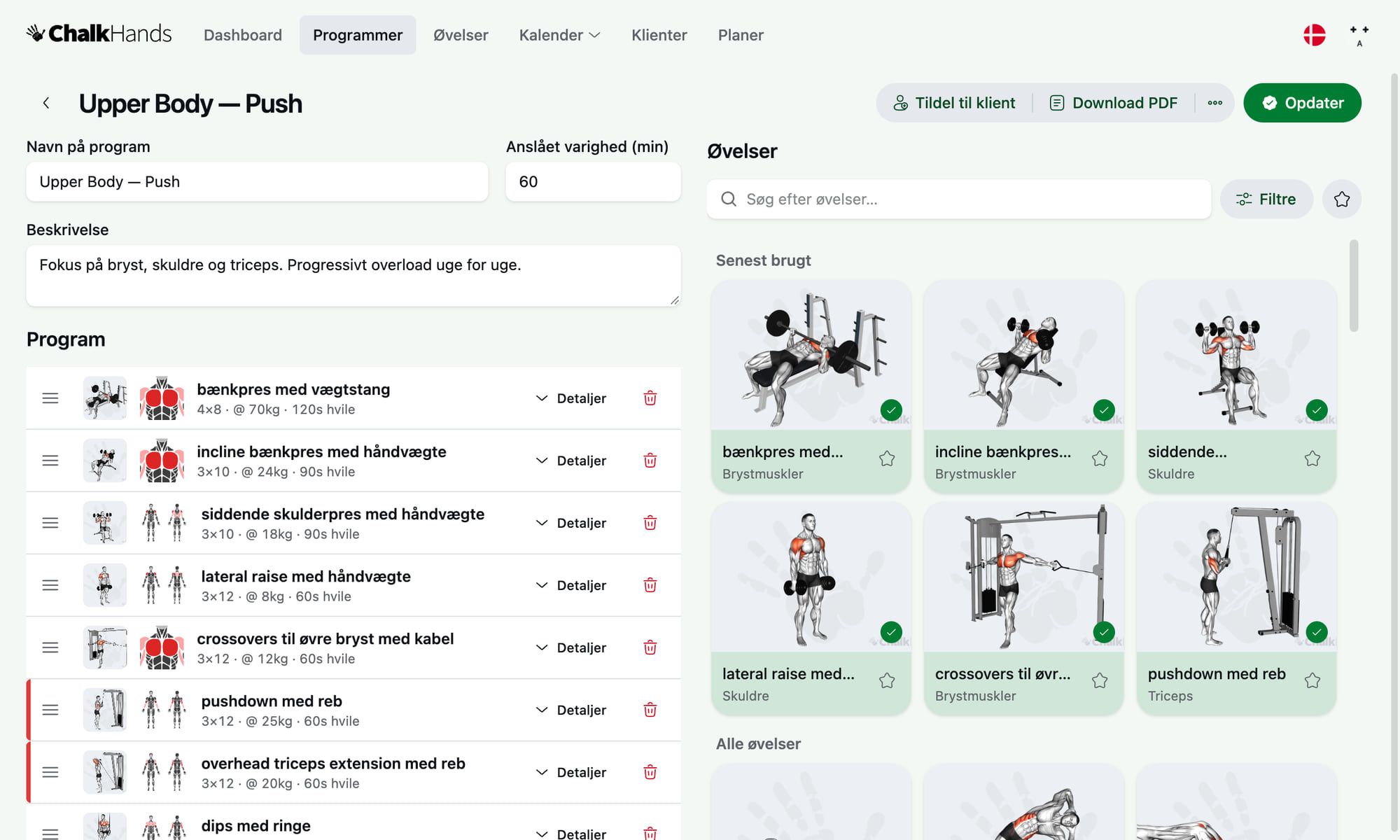
Drag exercises into the workout, write notes, and adjust sets, weight and much more. Made for instructor and client to build the workout together.
// Workouts
Drag exercises in, add sets and rest, and assign the workout to one or more clients. With a workout routine, the client always knows what to train.

Drag exercises into the workout, write notes, and adjust sets, weight and much more. Made for instructor and client to build the workout together.
Enter reps, time, rest and weight in kilos or pounds. Choose between set types: working sets, warm-up sets, drop sets and more.
Group exercises into supersets and write a note for each exercise. Both stand out clearly on screen and on print.
04 / Workout routines
Create routines that repeat, for example every week or in a cycle of 2 to 14 days, with or without an end date. The next sessions are always ready, and you can see how far along each client is.
05 / Reuse
Assign the same workout to many clients, and change it for all of them at once or personalise it for one. You can also create templates the instructors can share.
Workouts
The app gives you a guided tour while you build your first workout and your first routine.
